

What Is Sparx Enterprise Architect? A Plain-Language Guide for Malaysian IT Teams
When people search for “Enterprise Architect”, they are often trying to understand two things at once: the role and the software. The role helps organisations plan, structure, and govern technology change. The software helps teams capture that work in a model that can be analysed, shared, and maintained over time.
This article focuses on the software side — what Enterprise Architect means as a tool, why Sparx Systems Enterprise Architect is widely used, and how it supports IT teams that need more than disconnected diagrams or static documentation.
Enterprise Architect Is a Modeling Tool, Not a Drawing App
Sparx Systems Enterprise Architect — commonly called Sparx EA — is a modeling and design platform that has been in active professional use for over 20 years. It runs as a desktop application and is used by individuals, small teams, and large enterprises across a wide range of industries.
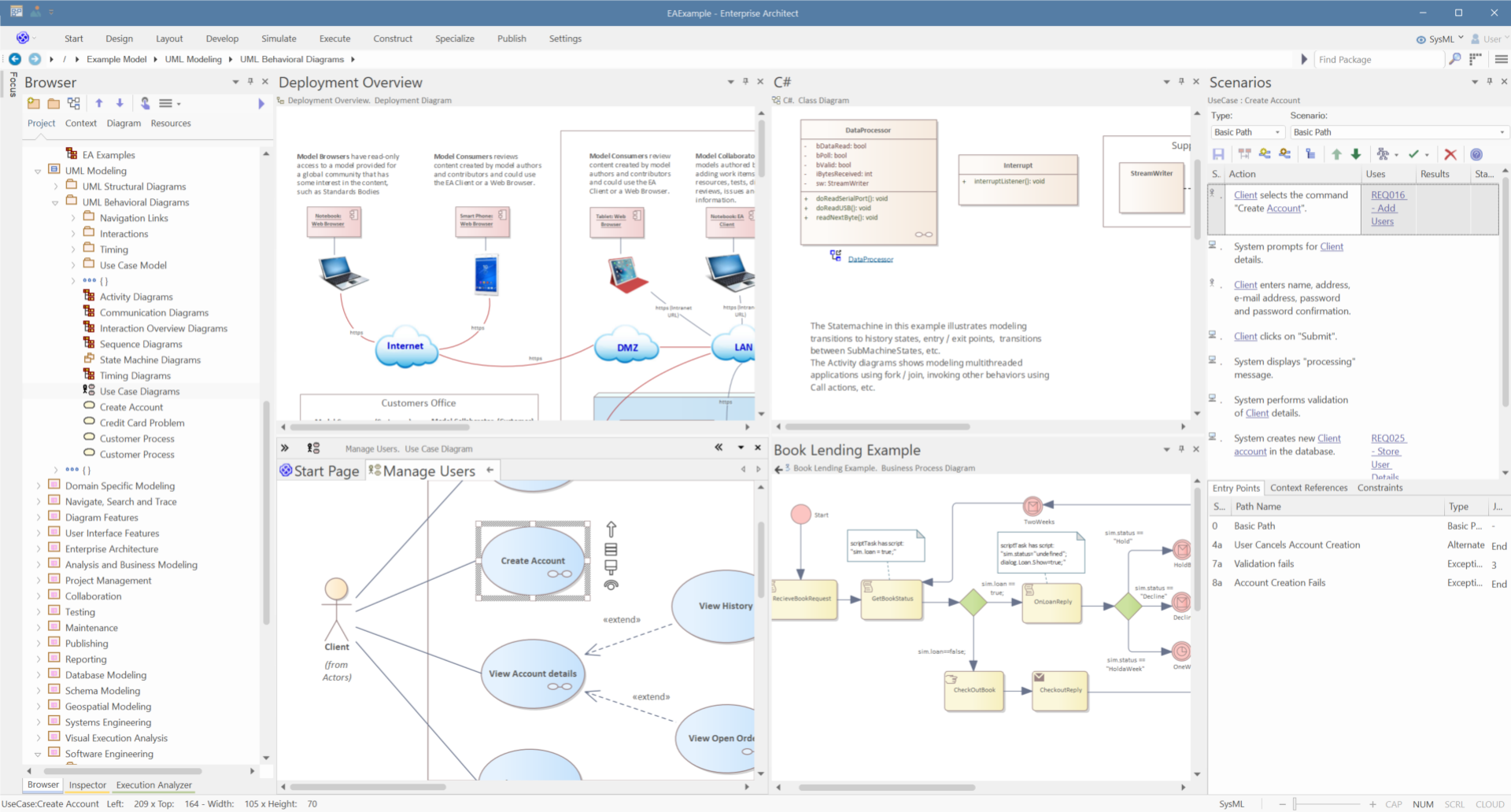
What sets it apart from tools you might already know, like Microsoft Visio or Lucidchart, is that Enterprise Architect is repository-based. Every element you create — a process, a system component, a requirement, a data entity — is stored in a structured model, not just placed on a canvas. This distinction has significant practical consequences. A business process you document in one diagram can be linked to the IT system that supports it, the requirement that defined it, and the team responsible for delivering it. Nothing exists in isolation.
In Sparx EA, your diagrams are a window into the model, not the model itself. This means you can view the same underlying information from multiple angles — as a process flow, as a component diagram, as a requirements list — without duplicating data or maintaining separate documents that drift out of sync.
Build a Connected Enterprise Architecture Practice
See how Sparx Systems supports enterprise architecture teams with structured models, architecture governance, impact analysis, and current-to-target state planning.
What Sparx Enterprise Architect (EA Sparx) Is Used For
Sparx EA is not built for a single discipline. Across its 20-year history, it has been adopted across a broad range of work areas:
Strategic modeling - mapping organisational goals, capabilities, and the roadmap to achieve them.
Requirements development and management - capturing, linking, and tracking requirements throughout a project lifecycle.
Business process modeling and analysis - documenting how work gets done, identifying inefficiencies, and designing improved processes.
Software development - designing system components, generating code, and reverse-engineering existing codebases.
Systems engineering and database engineering - modeling complex systems and data structures from concept through to physical schema.
Enterprise architecture - building and maintaining a coherent picture of an organisation's IT landscape, applications, and infrastructure.
Testing and quality assurance - planning test cases, tracking defects, and linking them back to the requirements they validate.
Simulation - bringing business and system models to life to test behaviour before anything is built.
This breadth is deliberate. Enterprise Architect is designed to support teams across the entire development and planning lifecycle, from strategy through delivery, with a broad set of Sparx EA features for modeling, traceability, collaboration, documentation, and automation.
Who Uses Enterprise Architect
Sparx EA is used across a wide range of roles. The tool is structured around different perspectives and diagram types, so each discipline gets what they need without wading through what they don't.
Enterprise Architect / IT Director
Builds and maintains the organisation's IT landscape model; documents current and target state architecture; supports strategic planning.
Business Analyst
Captures an d manages requirements, models business processes with BPMN, creates diagrams that both technical and non-technical stakeholders can read.
Software Architect / Solution Architect
Designs system components, services, APIs, and deployment infrastructure using UML; manages the relationship between models and code.
Systems Engineer
Models system structure and behaviour using SysML for engineering-intensive projects in aerospace, defence, manufacturing, and other domains.
Database Developer / DBA
Designs entity relationship diagrams, generates DDL from models, reverse-engineers existing databases into EA for documentation and redesign.
Project Manager
Uses EA's project management features — kanban boards, task and resource tracking, milestone roadmaps — linked directly to the model.
Technology Developer / Integration Specialist
Maps integration points, service dependencies, and technical infrastructure across applications and platforms.
The Languages and Frameworks It Supports
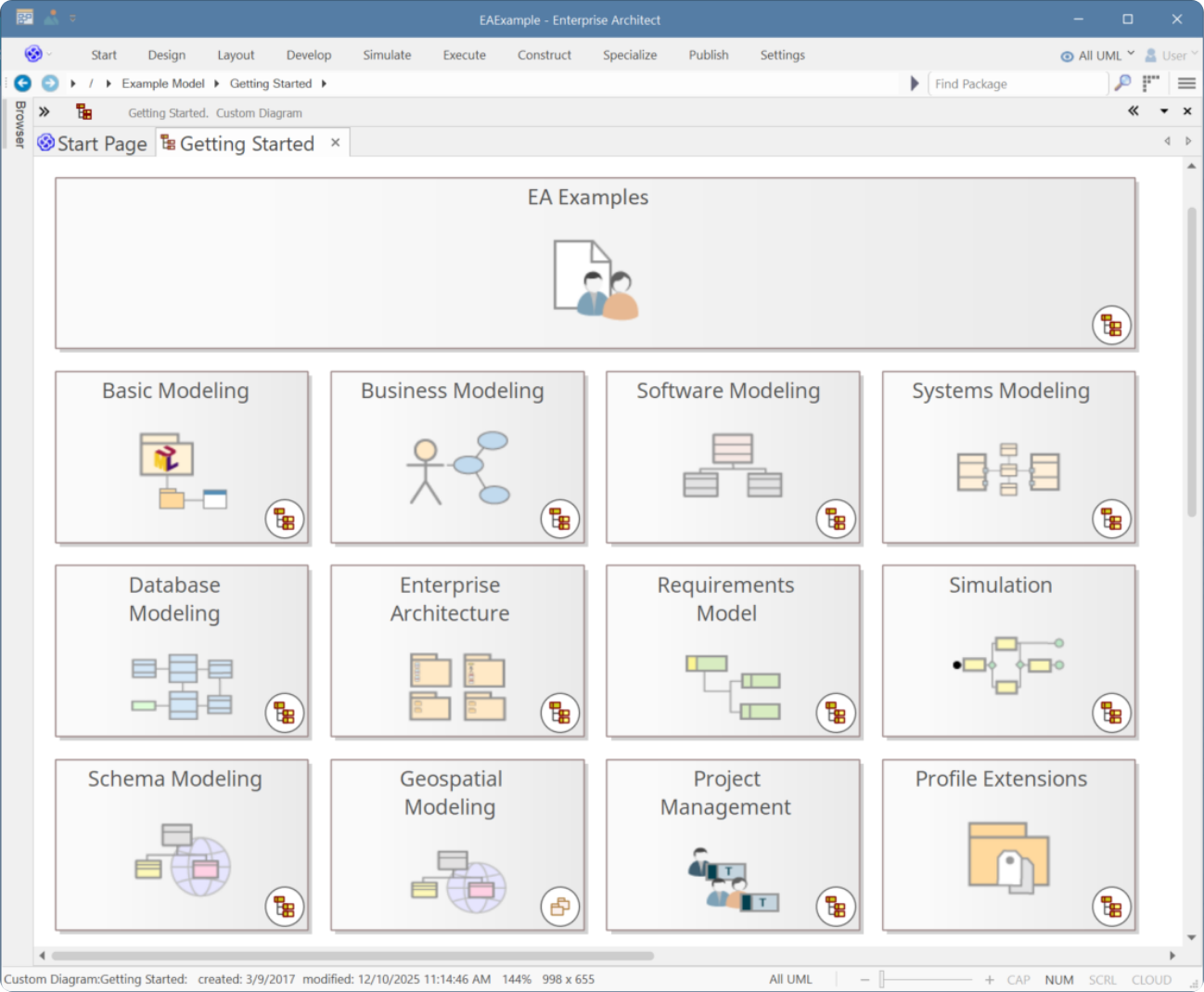
Part of what makes Sparx EA useful across so many disciplines is the range of industry-standard modeling languages and frameworks built into the tool.
Modeling languages
UML (Unified Modeling Language) — the foundational language for software and system design, covering everything from use case diagrams to deployment views.
BPMN (Business Process Model and Notation) — the standard for documenting and analysing business processes, including simulation support.
ArchiMate — the modeling language for enterprise architecture, structured across business, application, and technology layers.
SysML (Systems Modeling Language) — an extension of UML designed for systems engineering, including parametric and requirements modeling.
DMN (Decision Model and Notation) — for modeling decision logic and business rules.
Architecture Frameworks
TOGAF — The Open Group Architecture Framework, with built-in support for the Architecture Development Method (ADM) and architecture content model
Zachman Framework — a structured categorisation framework for enterprise architecture
UAF / UPDM — the Unified Architecture Framework and its defence-oriented predecessor
AWS, Microsoft Azure, Google Cloud Platform — dedicated diagram types and toolbox support for cloud architecture modeling
These are not add-ons you configure yourself. They ship with the tool and are accessible through EA's perspective and toolbox system, which lets you activate the modeling environment relevant to your work without being overwhelmed by everything else.
Download Sparx Systems Enterprise Architect Free Trial
Start with the 30-day trial to explore the available editions, modeling perspectives, diagrams, and core features before choosing the right license.
Why Malaysian IT Teams Are Choosing It
Malaysia's digital economy is moving quickly. Government-led programmes and private sector investment are pushing organisations from government-linked companies to mid-size enterprises to think more deliberately about their IT landscape, digital capabilities, and transformation roadmaps. Enterprise architecture gives IT teams the structured language and tooling to participate in those conversations at a strategic level.
Sparx Systems Enterprise Architect is a practical fit for this environment. It delivers enterprise-grade modeling capability at a price point that doesn't require a large-enterprise budget, and it scales alongside your practice — from a single architect documenting a company's system landscape to a multi-disciplinary team building complex engineering models across departments and geographies.
The collaborative features built into EA — shared model repositories, team libraries, model reviews, and role-based access — mean it isn't just a tool for individual architects. It's built to support the entire team that creates, governs, and acts on architecture decisions.
How to Get Started with Sparx EA
The best starting point for anyone new to Sparx EA is the 30-day trial edition. It gives you access to all editions of the tool, so you can explore the full feature set before committing to a license. Setup is straightforward — EA provides a guided getting-started path that walks you through creating your first project, choosing a modeling perspective, and building your first diagram.
If you're evaluating EA for a team, it's worth reviewing the available Enterprise Architect Sparx license editions before purchasing. There are several — from Professional to Corporate to Ultimate — and the right choice depends on your team size, the modeling languages you need, and whether you require shared repository or advanced automation features.
Dive Deeper into Sparx Enterprise Architect 17 (Sparx EA 17) Features and Capabilities
Learn how Enterprise Architect supports modeling, architecture, requirements, software design, and team-based planning in one connected platform.