

Top 10 Sparx Enterprise Architect Onboarding Tips for New Users
Starting with Sparx Systems Enterprise Architect can feel like a big step, especially if your team is moving from standalone diagrams, spreadsheets, or document-based architecture practices into a structured modeling environment. The good news is that new users do not need to learn everything at once.
Sparx EA is designed for software modeling, business process modeling, systems engineering, enterprise architecture, data modeling, requirements management, documentation, and more. For Malaysian organisations working through digital transformation, application modernisation, governance, or architecture standardisation, the best onboarding approach is to help users build confidence gradually through practical, role-based usage.
New to Sparx Systems Enterprise Architect? Try Sparx EA with a Free Trial
Start with the free trial and experience how Sparx EA supports modeling, documentation, traceability, and architecture collaboration in a structured environment.
Here are ten useful onboarding tips to help new users get started with Sparx Systems Enterprise Architect.
1. Explore Sample Projects First
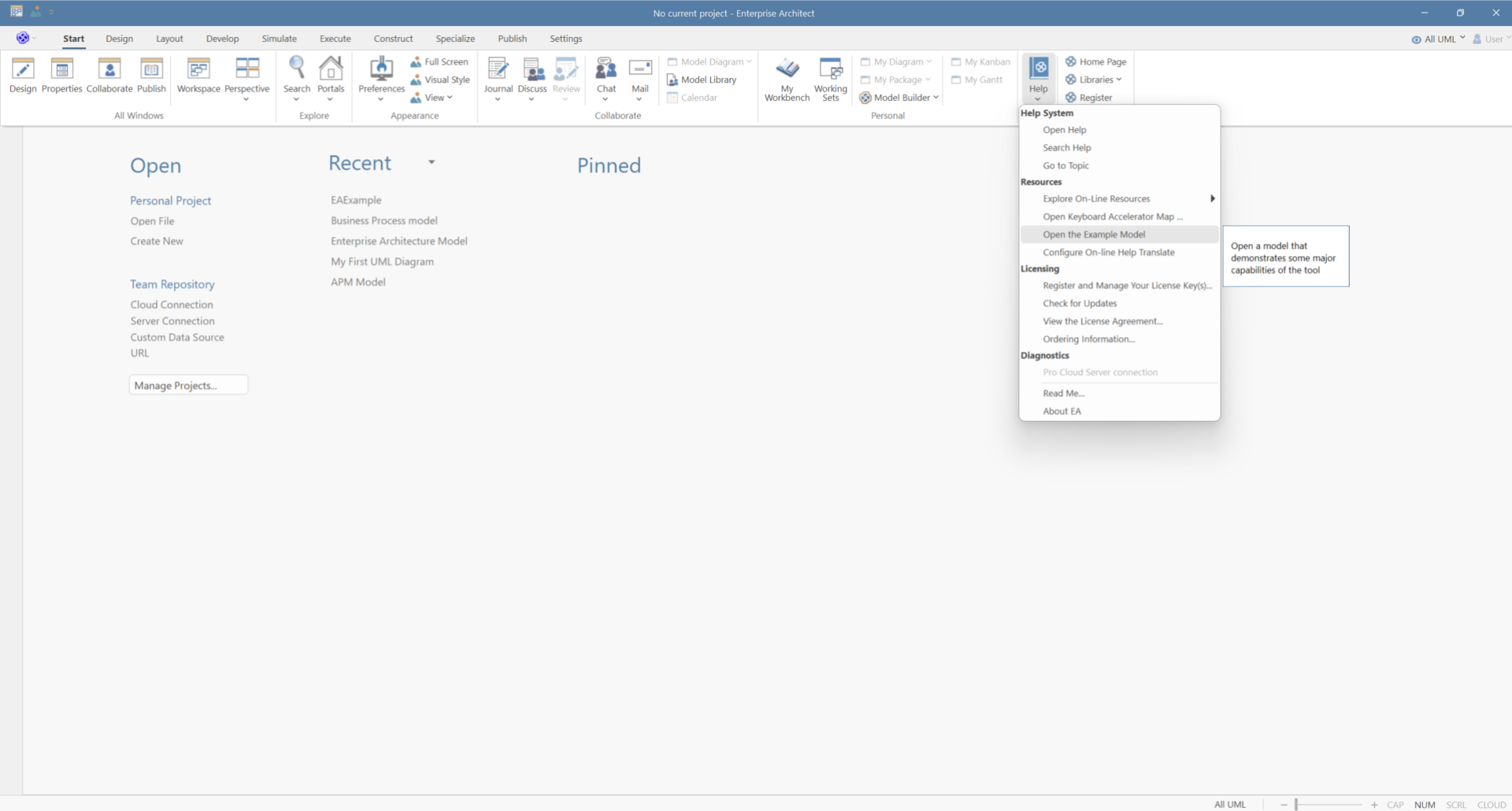
Before creating your own repository, spend some time exploring the example model. Sample projects are useful because they show how real model structures, packages, diagrams, and elements can be organised in a working environment.
For new users, this is often the fastest way to understand that Enterprise Architect is not just a drawing tool. It is a model-based environment where diagrams, elements, relationships, documentation, and views are connected.
A good first exercise is to open a sample model and observe how packages are arranged, how diagrams reuse model elements, and how documentation can be generated from the repository. This helps users see the difference between creating individual diagrams and building a connected model.
2. Use the Model Builder
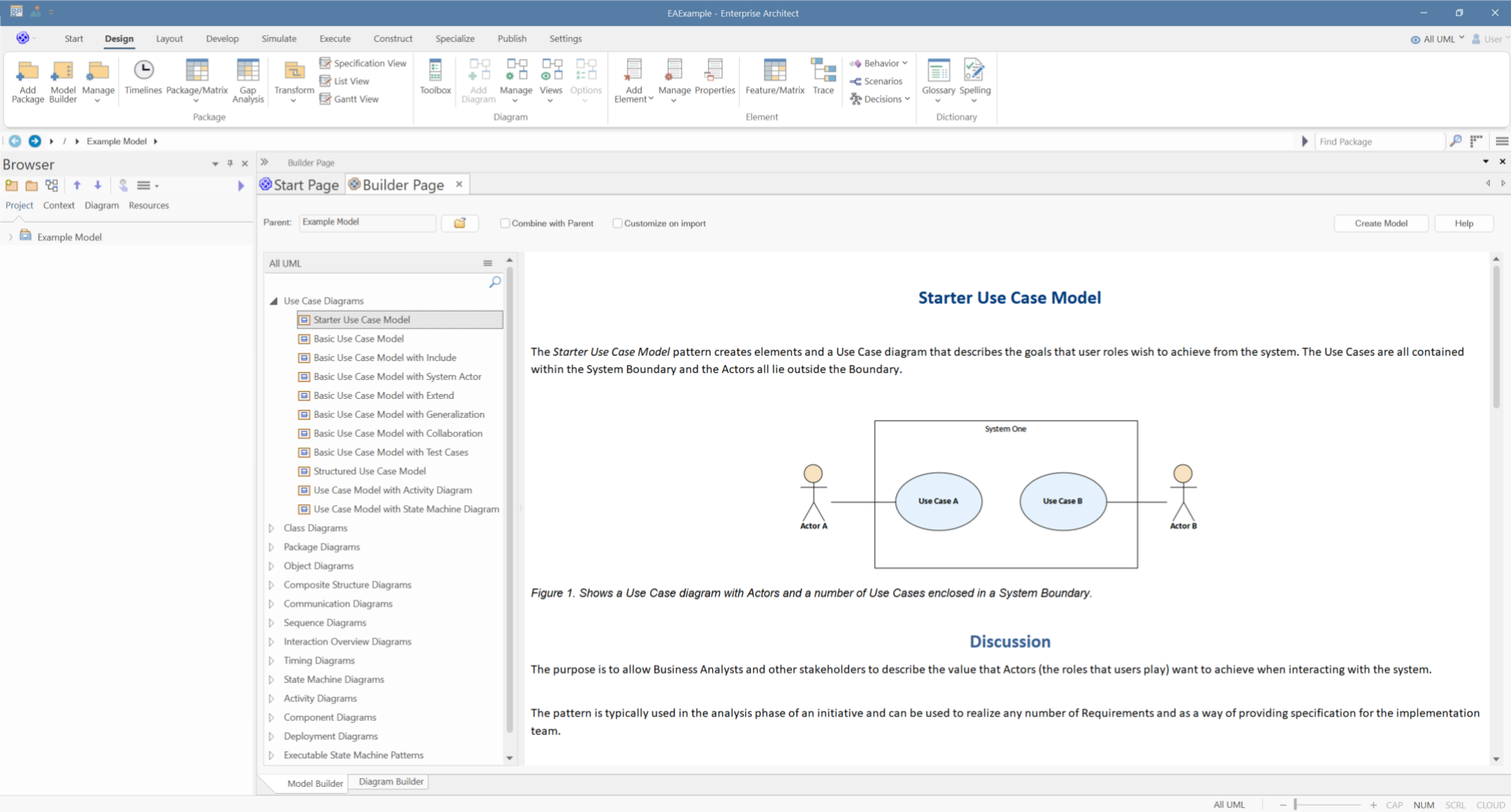
The Model Builder is one of the most helpful starting points for new users. It provides ready-to-use model patterns across a wide range of technologies, allowing teams to start with a structured foundation instead of beginning from a blank repository.
This is especially useful when your team is working with established notations such as BPMN, SysML, ArchiMate, UML, or architecture frameworks. Rather than spending too much time deciding how to structure the first package or diagram, users can begin with patterns that reflect common modeling practices and adapt them to their project needs.
For onboarding, this makes a noticeable difference. It gives users a guided starting point and helps them understand how modeling languages and frameworks are commonly organised inside Enterprise Architect.
3. Build a Simple Model
After exploring examples and patterns, the next step is to create something simple. A basic UML class diagram, a small BPMN process, or a simple requirements model is enough.
This helps users understand three core concepts: elements, diagrams, and connectors. Elements are the building blocks of the model. Diagrams provide visual views of those elements. Connectors define the relationships between them.
For onboarding, it is better to start with one small use case rather than a large enterprise model. For example, a business analyst can model a simple approval process, while a software architect can model a small application component structure.
4. Customise the Workspace Layout
Sparx EA includes many windows, views, and toolsets. New users should arrange their workspace based on the tasks they perform most often.
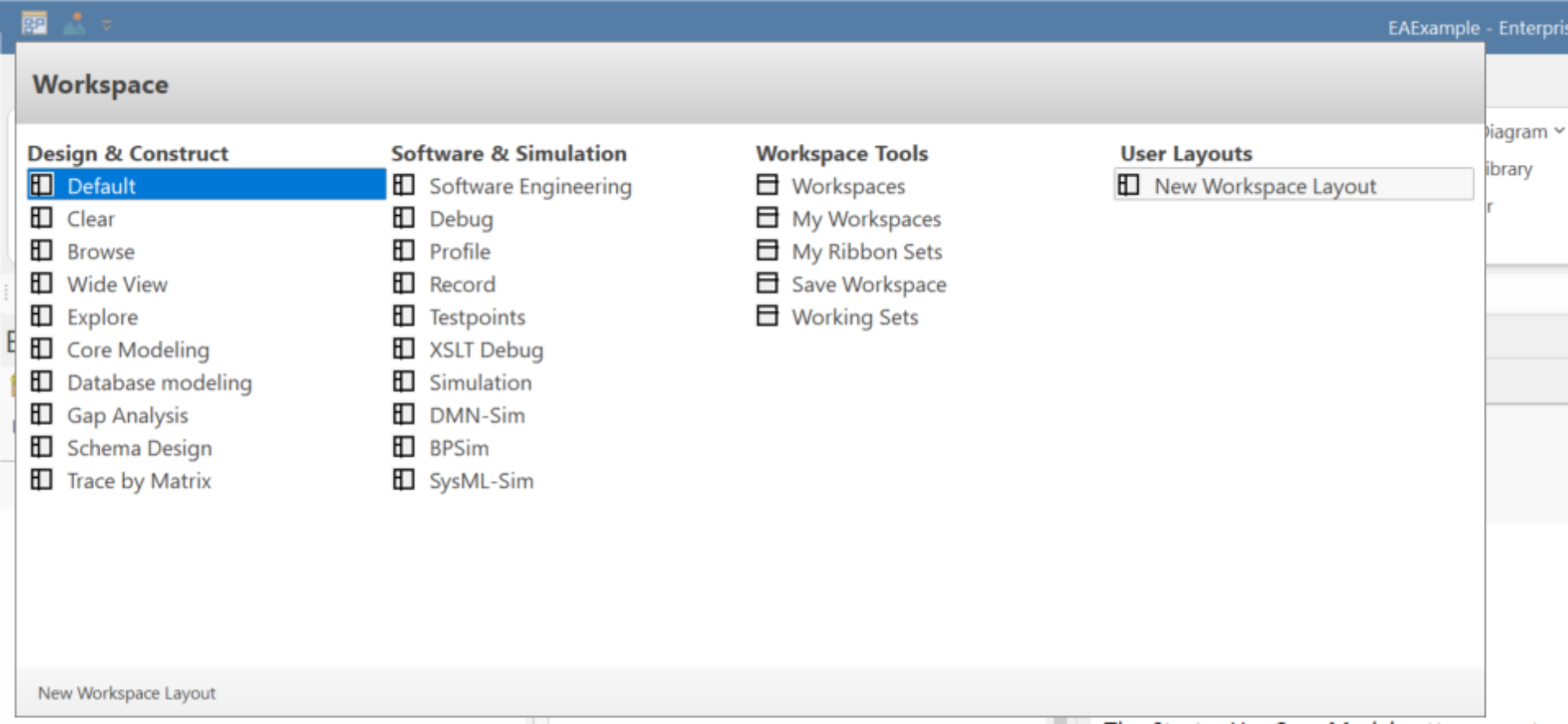
Users can save a personal layout through Start > All Windows > Workspace > Workspace Tools > Save Workspace, and return to it later through the My Workspaces tab.
This is a practical onboarding step for teams because different roles work differently. A business analyst may prefer the Browser, Properties, Notes, and Specification Manager. An architect may prefer diagrams, traceability, relationship views, and documentation tools.
5. Set a Perspective
Perspectives help simplify the Sparx Enterprise Architect interface by focusing the available tools, technologies, and patterns around the user’s area of work.
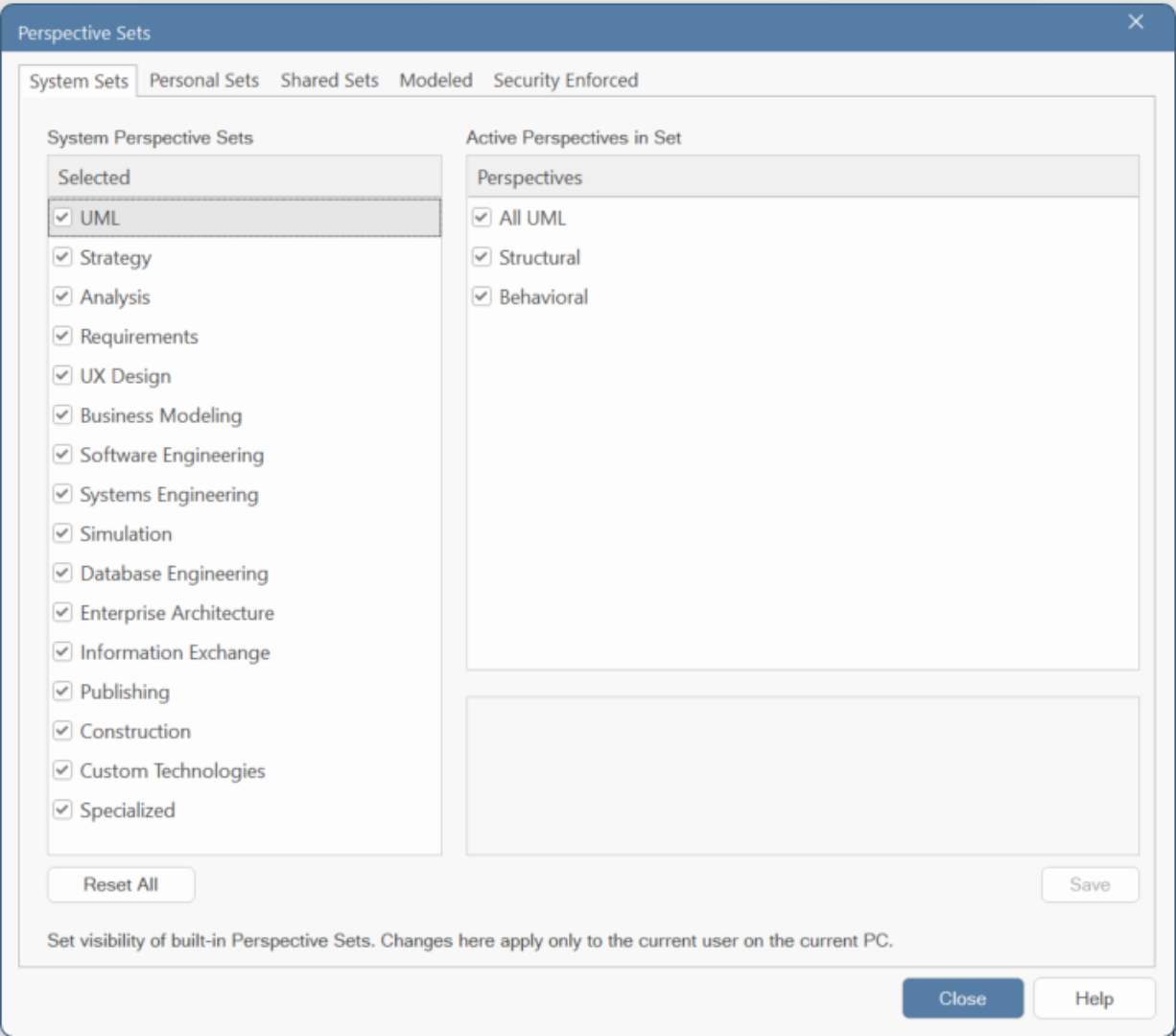
For example, a user working on business process modeling with Sparx EA can work with a business-oriented Perspective, while a systems engineer can focus on SysML-related modeling tools. Architecture teams can use Perspectives aligned to enterprise architecture frameworks and notations.
This is especially valuable during onboarding because new users often do not need access to every modeling language or feature immediately. By narrowing the interface to what is relevant, Perspectives help users focus on the work they need to do.
For Malaysian organisations with mixed teams across business, IT, architecture, and engineering, Perspectives can support a more role-based onboarding approach. Each group can begin with the tools and views that match their responsibilities.
Explore More Sparx Enterprise Architect Features for Your Team
From Perspectives and Model Builder to reporting, traceability, simulation, & collaboration support, Sparx EA offers a wide range of capabilities for teams working across architecture, software, systems, & business modeling.
6. Use Official Learning Resources
Sparx Systems Enterprise Architect has a wide range of official learning resources, including user guides, tutorials, webinars, video demonstrations, and community resources. Sparx Systems’ brochure library refers to the online and downloadable Sparx Enterprise Architect User Guide, webinars, tutorials, and more than 60 video demonstrations.
The Sparx Systems Forum is also a useful place to learn from experienced users, with over 13,000 members and more than 30,000 topic threads.
For Malaysia-based teams, a good onboarding approach is to combine official resources with role-based internal training, so users learn Sparx Enterprise Architect in the context of their actual projects.
7. Learn Keyboard Shortcuts
Keyboard shortcuts can make everyday modeling faster. Sparx Systems documentation confirms that Sparx Enterprise Architect supports shortcut keys for dialogs, windows, views, and processes, and that users can open the Keyboard Accelerator Map from the Start ribbon.
For example, Ctrl+Shift+M is a shortcut to add a new model using the Model Wizard or Model Builder.
New users do not need to memorise every shortcut. Start with the actions used most often: creating diagrams, opening properties, saving work, locating elements, and switching views.
8. Try the Specification Manager
The Specification Manager is especially useful for business analysts, requirements teams, and stakeholders who prefer a document-style or spreadsheet-style interface.
Instead of working only through diagrams, users can review and edit model information in a more familiar text-based layout. This is particularly helpful for requirements, business rules, user stories, process details, and other structured information that needs to be reviewed carefully.
The value of the Specification Manager is that it helps non-technical users participate in model development without forcing them to work directly on diagrams all the time.
9. Generate Reports from the Model
One of the strongest advantages of Sparx EA is that documentation can be generated from the model repository. Sparx Systems states that Enterprise Architect provides a comprehensive report generation facility for creating reports on different aspects of a model, including DOCX, PDF, and RTF formats.
Sparx Systems documentation also explains that users can generate documentation through Publish > Model Reports > Report Builder > Generate Documentation.
For new users, this is an important mindset shift. Instead of manually maintaining separate diagrams and documents, teams can model once and publish structured documentation when needed.
10. Reuse Elements Across Diagrams
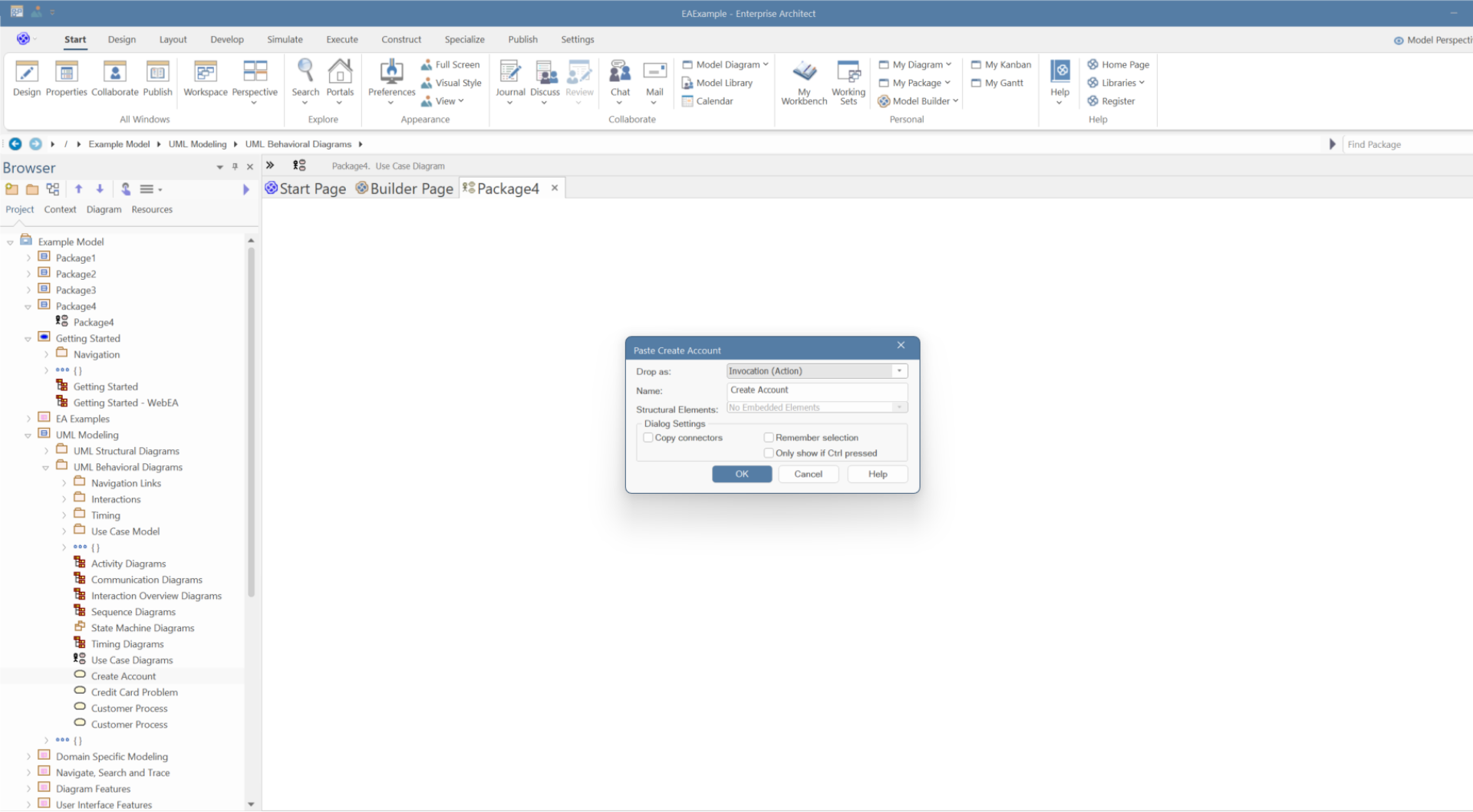
New users often create duplicate objects because they think each diagram is separate. In Enterprise Architect, the better practice is to reuse existing model elements across diagrams.
For example, the same application, business capability, requirement, interface, or technology component can appear in multiple diagrams while still representing the same underlying model element.
This is one of the most important concepts for new users to understand. Reuse helps maintain consistency, traceability, and a clearer repository structure. It also supports impact analysis because relationships can be managed around the actual model elements, not just visual shapes on separate diagrams.
Start Your Sparx EA Journey with Confidence
New to Sparx EA? Our Malaysia team can help your organisation get started with the right setup, onboarding approach, and practical guidance for your team’s modeling needs.
Sparx Systems Enterprise Architect becomes easier to adopt when users start with a structured path: explore examples, use patterns, build a simple model, customise the workspace, choose the right Perspective, and gradually learn reporting, reuse, and repository-based modeling.
For Malaysian enterprises and government teams, this approach supports more than tool onboarding. It helps build a stronger modeling culture where architecture, requirements, processes, systems, and decisions can be managed together in a shared environment.